Digital POS Systems and Restaurant Technology Training Guide
Learn digital POS systems and restaurant technology training with SOP, order processing workflow, service coordination, and operational efficiency in hotel and restaurant operations.
 Jyoti Kushwaha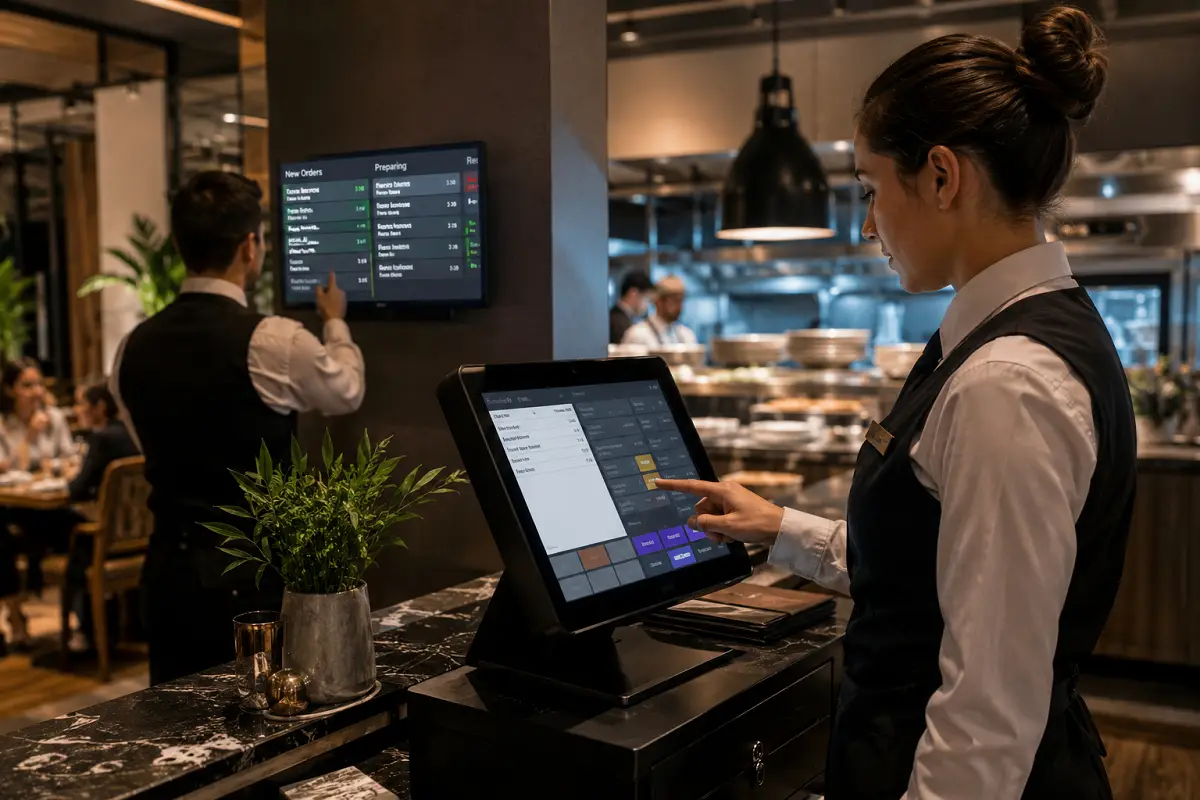
The biggest slowdowns I see on the floor? Not the kitchen. Not the crowd. It’s the POS. Orders sitting in someone’s head instead of the system. Wrong buttons. Missed modifiers. And suddenly, the table’s vibe drops. This is where clean operators stand out.
Overview of Digital POS Systems in Restaurant Operations
Your POS isn’t just a billing tool. It’s your control center.
Every order, every fire, every bill runs through it. FOH talks to BOH through this screen.
Get it right, service flows. Get it wrong, the whole line feels it.
It handles order entry, kitchen communication, billing, inventory, and reports. One mistake here travels fast to the guest.
And during peak hours? Speed and accuracy matter more than anything.
This isn’t about knowing the system. It’s about using it without thinking.
Pro-tip: If you’re still “figuring out” the POS mid-service, you’re already behind.
SOP Procedure for Digital POS System Operations
This is your non-negotiable routine. No shortcuts.
1. System Login and Setup
Log in at shift start. Check menu updates, table status, system health.
2. Order Entry Process
Enter orders immediately. Not later. Not after another table.
3. Order Verification
Double-check everything items, modifiers, table number. One wrong click = one unhappy guest.
4. Kitchen Communication
Send to KDS or printer instantly. Highlight special requests clearly.
5. Order Monitoring
Track progress. Don’t assume the kitchen saw it confirm through the system.
6. Billing Process
Generate the bill clean. Taxes, discounts, offers no guesswork.
7. Payment Handling
Close payments properly. Cash, card, digital verify before finishing.
8. End-of-Shift Closing
Reconcile everything. Run reports. Log out properly.
Pro-tip: Fast hands are useless without accuracy. Slow down just enough to get it right.
Operational Steps and POS Workflow
This is how you keep service tight and moving.
Step-by-Step POS Workflow:
• Greet and take order within 3–5 minutes
• Enter order into POS immediately
• Send to kitchen through KDS
• Track prep status live
• Coordinate pickup and service
• Update order status (served/completed)
• Generate bill after meal
• Process payment within 3 minutes
• Close and update system records
Service Timing Benchmarks:
• Order entry: within 1 minute
• Kitchen send: immediate
• Order tracking: continuous
• Billing: within 2–3 minutes
• Payment: within 3 minutes
Operational Controls:
• No delayed entries ever
• Always confirm table numbers
• Watch for system lag or errors
• Keep FOH and BOH synced through the POS
Pro-tip: If the order isn’t in the system, it doesn’t exist.
Guest Interaction and POS Usage Techniques
Don’t let the screen kill your connection with the guest.
Order Taking with POS Integration:
• Listen first, then enter
• Confirm before you tap
• Use correct items and modifiers no guessing
Communication with Guests:
• Use system updates to inform about unavailable items
• Explain bills clearly if asked
• Handle payments smoothly no confusion at the end
Handling Errors:
• Fix mistakes immediately in the system
• Call supervisor for voids or corrections
• Be honest with the guest if delays happen
Efficient Usage Techniques:
• Use shortcuts and quick keys
• Avoid duplicate entries
• Stay focused during peak no distractions
Pro-tip: Eyes on the guest, not buried in the screen.
Tools and Equipment in Restaurant Technology
Your tools should speed you up not slow you down.
Primary Tools:
- POS terminal or touchscreen
- Kitchen Display System (KDS)
- Billing and receipt printers
- Card/payment machines
Support Equipment:
• Handheld POS or tablets
• Barcode scanners (if used)
• Network and server systems
• Digital menus
Usage Guidelines:
• Keep menu and pricing updated
• Clean and maintain hardware
• Check connectivity before service
• Report issues immediately don’t “manage” broken tech
Pro-tip: One dead printer can jam your entire section. Check early.
Service Standards and Performance Metrics
This is how you measure if your system and your team are sharp.
Key Performance Metrics:
• Order accuracy: 100% correct
• Processing time: within SOP
• Billing accuracy: zero errors
• Payment speed: within 3 minutes
• System uptime: no interruptions
• Guest satisfaction: stays high
If errors repeat, it’s not the system. It’s the usage.
Evaluation and Continuous Improvement
Good teams review. Great teams fix fast.
Evaluation Methods:
• Check POS reports, sales, errors, voids
• Observe staff during live service
• Review team performance regularly
• Listen to guest feedback on billing and speed
• Run system checks and maintenance
Main issues? Wrong entries, slow usage, lack of system confidence.
Fix it with repetition, drills, and proper training.
Bottom line, POS doesn’t slow service. People do.
Master the system, and your service gets faster, cleaner, and far more controlled.
Read more about crisis management training.