Hotel Standard POS System Training: Complete Training Guide with SOP & Professional Standards
Learn hotel standard POS system training with SOP, order processing, billing workflow, and service coordination for restaurant operations.
 Jyoti Kushwaha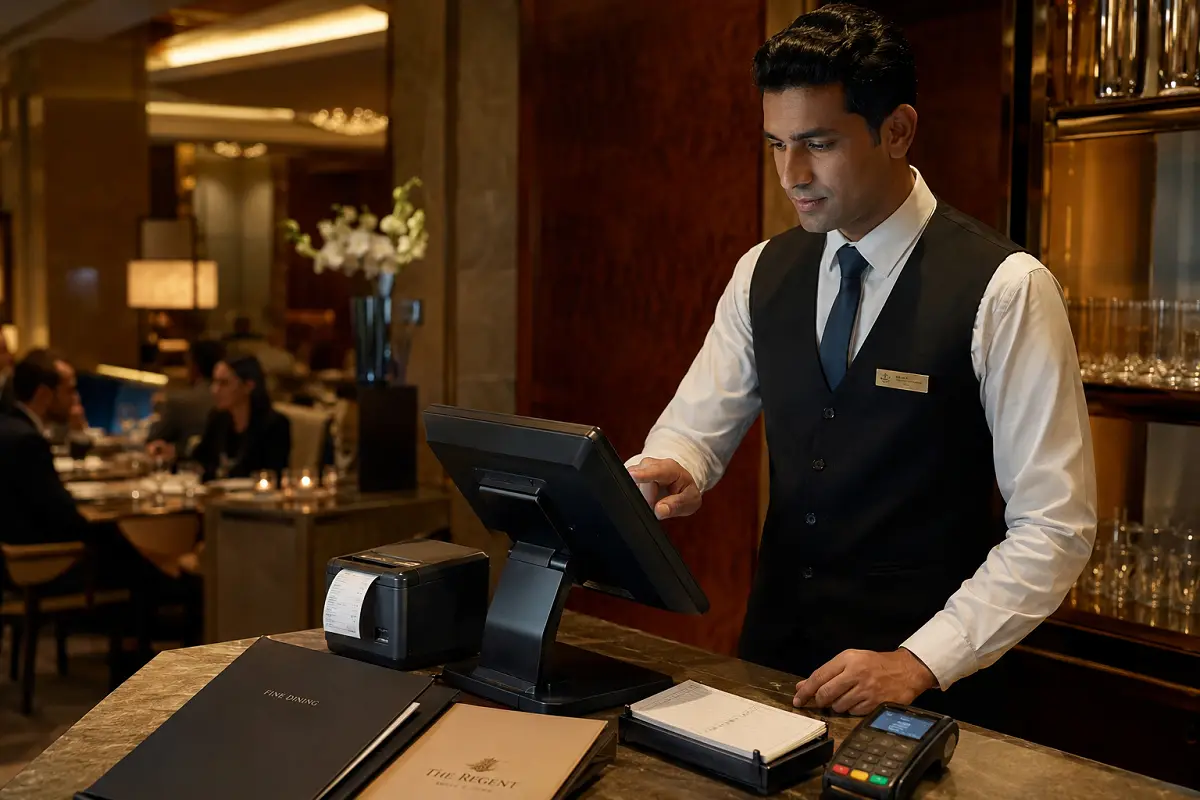
The reality on the floor is this if your POS game is weak, the whole service slips. Orders get lost, bills get messy, and the kitchen starts pushing back. Tight POS handling keeps the line clean, the fire-order tight, and the table’s vibe under control.
Overview of Hotel Standard POS System Training
Your POS is your control panel. Every order, every bill, every adjustment runs through it. If you’re slow here, service slows everywhere.
Mess up the POS and you’ll see it instantly wrong orders, delayed tickets, billing confusion, and unhappy tables. And during peak hours, small mistakes turn into full-blown service friction.
In hotel operations, POS does more than billing. It tracks sales, controls inventory flow, and feeds reports to management. That means accuracy isn’t optional it’s expected.
This training locks in a clean, repeatable system for order entry, billing, and coordination so service runs smooth even under pressure.
SOP Procedure for POS System Operations
This is your non-negotiable routine. Follow it every shift.
1. System Login
Log in with your ID before service starts. Double-check your outlet and section. No wrong logins.
2. Table Allocation
Assign the right table number. If this is wrong, everything after is wrong.
3. Order Entry
Enter orders fast and clean. Add modifiers, preferences, and special notes clearly.
4. Order Confirmation
Pause. Recheck. Then send. This step saves you from rework later.
5. KOT/BOT Generation
Fire the order immediately to kitchen or bar. No delays.
6. Order Modification
Guest changes something? Update it instantly. Don’t “remember it later.”
7. Billing Process
Generate the bill only after service is complete. Check every item before printing.
8. Payment Processing
Handle cash, card, or digital cleanly. No wrong entries. Always issue the receipt.
9. Shift Closing
Close every open table. Match your sales. No loose ends at shift end.
Stick to this and your service flow stays tight and controlled.
Operational Steps and POS Workflow
This is how a clean service cycle looks from start to finish.
Step-by-Step POS Workflow:
• Greet guest and assign table in POS system
• Take order and enter into POS immediately
• Confirm order details before submission
• Send order to kitchen/bar via system
• Monitor order status and preparation time
• Update system for any order changes
• Serve food and beverages as per order
• Generate bill through POS system
• Process payment and close table
• Record transaction for reporting
Service Timing Benchmarks:
• Order entry: within 1–2 minutes
• KOT/BOT generation: immediate
• Billing generation: within 2 minutes after request
• Payment processing: within 2–3 minutes
Operational Controls:
• Enter orders in real-time. Never batch later
• Watch for duplicate or missed entries
• Keep an eye on pending orders screen
• Close every table before shift ends
Speed matters. But clean execution matters more.
Guest Interaction and POS Handling Techniques
Don’t hide behind the screen. The guest still comes first.
Service Interaction Standards:
- Maintain eye contact while taking orders
- Don’t stare at the screen while the guest is talking
- Confirm special requests clearly
Order Accuracy Techniques:
• Repeat the order before punching it in
• Use correct menu codes and modifiers
• Never assume always confirm
Handling Billing Requests:
• Generate bill fast when asked
• Present it clean and confident
• Explain if needed, but don’t over-talk
Handling Errors:
• Fix mistakes immediately in the system
• Inform supervisor for voids or edits
• Keep billing transparent no shortcuts
Pro tip: Most complaints start with one wrong entry. Don’t let it happen.
Tools and Equipment for POS Operations
Your system is only as good as the tools running it.
Primary Tools:
• POS terminal or touchscreen system
• Billing printer for receipts
• KOT/BOT printers for kitchen and bar
• Payment devices (card machine, QR systems)
Support Equipment:
• Backup power system
• Stable network connection
• Cash drawers and registers
• Reporting and analytics tools
Usage Guidelines:
• Check system before service starts
• Ensure printers have paper and are working
• Keep your login secure
• Report technical issues immediately
If the system goes down and you’re not ready, service takes a hit.
Service Standards and Performance Metrics
This is how your POS performance is judged on the floor.
Key Performance Metrics:
• Order entry accuracy: 100%
• Billing accuracy: zero errors
• Service timing: within SOP limits
• Payment processing: fast and clean
• System usage compliance: 100%
• Guest satisfaction: consistently high
Miss these, and it shows immediately in service flow.
Evaluation and Continuous Improvement
You don’t “learn POS once.” You sharpen it every shift.
Evaluation Methods:
• Daily transaction audits
• Billing accuracy checks
• Supervisor observation on the floor
• System usage reports
• Staff performance reviews
Common issues? Wrong entries, slow billing, careless handling. Fix them with repetition and discipline.
Bottom line tight POS control keeps service sharp, reduces friction, and protects revenue. Run it clean, and the rest of the operation falls in line.
Read more about Practical Leadership in hospitality.